
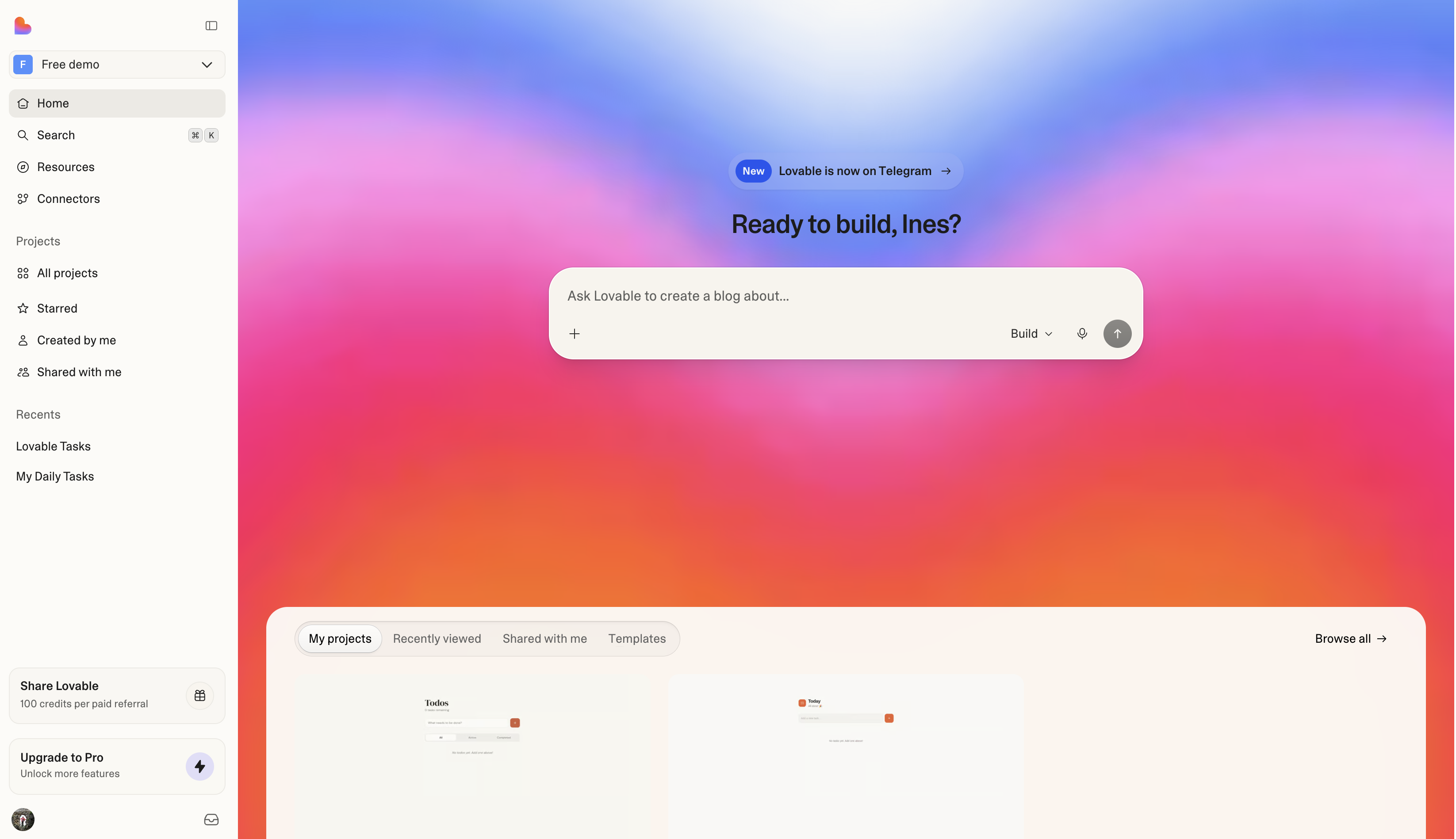
RShift Sites lets individuals and teams build production-grade web applications using natural language. You describe what you want to build, and RShift Sites generates a working application that includes frontend, backend, database, authentication, and integrations, all backed by editable code.
RShift Sites supports the full lifecycle of modern product development, from early exploration and prototyping to deployment and ongoing operation.
Applications are built inside shared workspaces, where a group of people builds from one plan and a shared pool of credits, each working on one or more of their own projects. Each project represents a single application and produces a codebase that can be synced to GitHub, GitLab, or Bitbucket with Git sync and integrated into existing engineering workflows. The platform is built to help people move faster while maintaining ownership, security, and operational control.
You can start for free, and plans are priced by credits, not by projects or seats. See Subscription plans.
Create a free account with email, Google, GitHub, or Apple, and start building immediately.
Build and publish your first app in about ten minutes.
Start from a ready-made app you can remix on any plan.
Learn in the RShift Sites Academy
Free video walkthroughs and a guided learning path from the RShift Sites team.
Core concepts
Four terms come up everywhere in RShift Sites:
- Account: Your personal identity on RShift Sites. You sign in with one account and use it across every workspace you belong to.
- Workspace: Where you and your team work. A workspace holds projects, members, billing, and a shared pool of credits.
- Project: One app. Each project holds its project chat, preview, code, and version history, and lives in exactly one workspace.
- Chats: Conversations with RShift Sites outside your projects, for thinking through ideas, asking about your apps, and working with connected tools. When something needs building, a chat sends the work to a project.
Why use RShift Sites
RShift Sites makes it easier to go from an idea to working software.
Faster iteration
Move from idea to working software by building through natural language instead of starting from a blank codebase.
Collaboration when you need it
Work solo or with a team. RShift Sites supports shared workspaces so people across roles can contribute in one place when collaboration matters.
Code ownership and flexibility
Keep full ownership of your code and integrate RShift Sites into existing workflows.
Built with enterprise needs in mind
Security, privacy, and governance capabilities are built into the platform from the start.
Who RShift Sites is for
RShift Sites is used by teams inside companies, by technical teams and agencies, across enterprises, and by people building on their own.
Teams in companies
- Product managers and designers turning prototypes into internal tools the business runs on
- Operations, sales, marketing, finance, and HR teams replacing spreadsheets and per-seat software with their own apps
- Marketers building landing pages, campaign sites, and dashboards
Technical teams and agencies
- Developers using RShift Sites to quickly set up projects, internal tools, and early prototypes
- Engineering teams reviewing, extending, and maintaining generated code through GitHub, GitLab, or Bitbucket
- Agencies and consultancies delivering client projects where code ownership and portability matter
Enterprises
- Teams building internal tools or business-critical applications used across the organization
- Organizations building and operating applications with security, compliance, and governance requirements
- Companies integrating AI-assisted development into established engineering workflows
Individual builders
- Founders and entrepreneurs launching products and reaching their first customers
- Independent makers building side projects, prototypes, or small products on their own
- Students and educators working on coursework, learning projects, or experiments
What you can build with RShift Sites
RShift Sites supports a broad range of web applications, from early exploration to production systems, and also creates the presentations, documents, and visual assets around them.
Prototypes and proofs of concept
Working prototypes with real data and logic, so product, design, and sales teams can validate an idea before engineering builds it
SaaS and business applications
Subscription products, customer-facing dashboards, admin panels, CRMs, client portals, and multi-user applications
Internal tools
Workflow tools, operational dashboards, and applications that replace spreadsheets or per-seat software for internal teams
Dashboards and data visualization
Analytics dashboards, KPI and reporting views, and data visualization tools built on your existing data sources
Marketplaces and online commerce
Booking tools, storefronts, and marketplace apps
Consumer-facing web applications
Community platforms, content platforms, creative tools, and apps built for end users
AI-powered apps
Chatbots, AI assistants, and apps with built-in AI features like image generation and semantic search
Websites and marketing pages
Company websites, landing pages, campaign pages, portfolios, resumes, and event sites with invitations and RSVPs
Educational tools
Learning tools, course platforms, student portals, and experiments
Games and interactive content
Simple web-based games, quizzes, and simulations
Presentations, reports, and documents
Pitch decks and client-facing presentations that present in the browser, plus generated files like PDF reports, spreadsheets, Word documents, and PowerPoint files
Images, video, and design assets
Generated and edited images, logos, social graphics, and short videos for your apps and campaigns, used in the app or downloaded as files
Security, privacy, and compliance
RShift Sites is built to meet enterprise security and compliance requirements. For the full picture of identity, governance, and auditability controls, see RShift Sites for Enterprise.
Certifications and standards
- SOC 2 Type II
- ISO 27001:2022
- AIUC-1, the security, safety, and reliability standard for AI agents
- GDPR compliance
View compliance reports and security attestations
Access and identity
- Workspace-level roles and permissions
- Secure authentication with two-factor authentication (2FA)
- Single sign-on (SSO)
- SCIM user provisioning
- Workspace groups
Platform security and governance
- Workspace-level administration and controls
- Built-in security checks and guidance
- Workspace-wide security oversight in the Security center
- Audit logs
- Workspace adoption metrics in Insights
- Sensitive data scanning
- Data usage controls and data opt-out options
Learn more about RShift Sites’s approach to security
Legal and data protection
How RShift Sites fits into your workflow
RShift Sites is designed to complement existing tools and processes:
- Describe what you want to build
- Review and iterate on your app
- Publish it to a live URL
- When you want the code in your own pipeline, sync it to GitHub, GitLab, or Bitbucket and deploy, operate, and govern to your standards
Build and publish your first app in about ten minutes.
How to build a real product, from first idea to a live, growing app.
How projects work: create, organize, and publish.
Extend your apps with connectors.
Learn effective prompting strategies.
Learn the key terms.
Get help
If a project shows an error, ask RShift Sites in the project chat first. RShift Sites investigates the problem and can fix it. The full workflow is in Debug and improve your app.
For other questions, the Support policy explains every way to get help:
- The docs assistant, which answers from the documentation. Open it from any docs page.
- The status page, for platform-wide incidents.
- The community on Discord, open to all plans.
- The support team, through the support form at lovable.dev/support. Direct support is available on paid plans.